Maroon Rides
Helping 50k Students get around

Overview
Texas A&M University is home to the largest campus in the United States, spanning over 5,200 acres. As a result, getting around campus can be a challenge for many students. To address this, the university operates a comprehensive bus and shuttle network, named the Aggie Spirit Bus with stops at major academic, residential, and recreational locations, ensuring accessible transportation across campus.

However, because the network is so expansive, students need a convenient way to access real-time information about the buses — including their current locations, timetables, and any delays. Without an efficient system to relay this information, students often face uncertainty about when the next bus will arrive or which route to take to reach their destination on time.
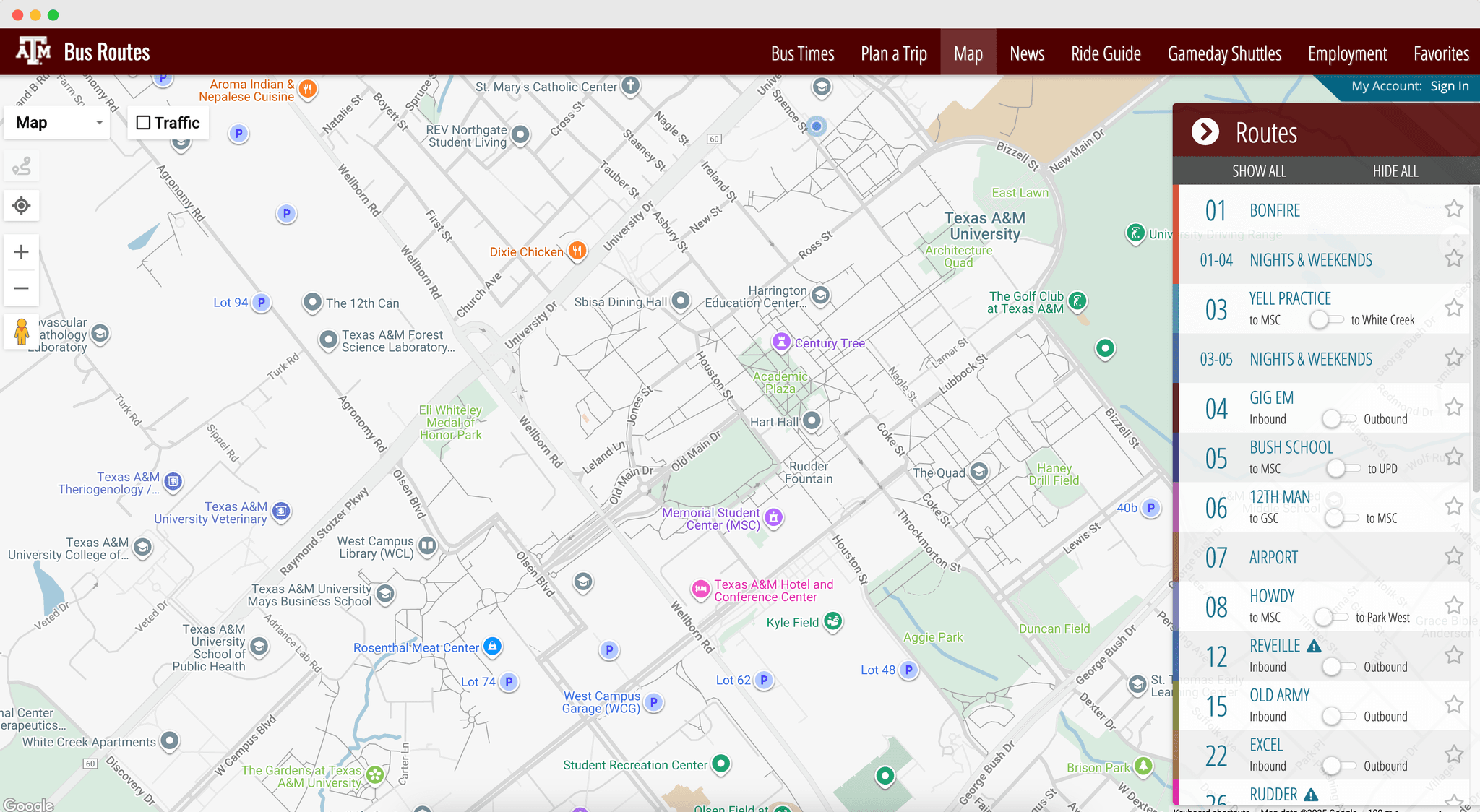
While the university provides a website and mobile app to display bus information, the overall user experience is lacking. The website is difficult to access and navigate, especially on mobile phones making it inconvenient for students who need quick, reliable updates on bus routes and arrival times.
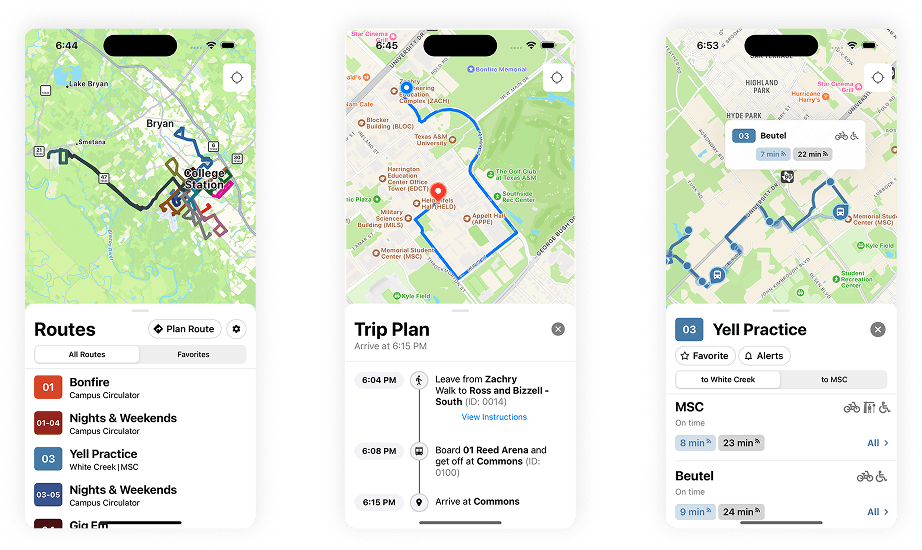
To address this issue, I helped build a mobile app called Maroon Rides, designed to provide a seamless and intuitive experience for students to access real-time bus information. The app lives on users' phones and simplifies navigation and ensures that students can quickly find bus locations, routes, and arrival times with just a few taps.
Aggie Spirit API
The first step in developing Maroon Rides was building the backend scripts required to extract real-time bus data from the university's transportation website. Since there was no publicly available API to directly access the data we needed, we implemented a web-scraping solution to retrieve and process the relevant information, such as bus locations, routes, and arrival times, in a structured and reliable format.
I wrote a TypeScript API wrapper around the hidden endpoints used by the university's website. This layer acts as the bridge between the raw web requests and our mobile frontend.
- Map – handles route geometry, vehicle positions, and departure times
- Home – surfaces active routes, nearby stops, and schedule data
- Route Planning – powers search and trip-planning features
- Each module exports a set of asynchronous functions that wrap fetch calls to the AggieSpirit endpoints. All requests use a small Auth object containing session headers or tokens and return strongly typed JSON responses.
The API is divided into three logical modules:
- Automatically encodes data depending on the endpoint type.
- Validates response formats using TypeScript interfaces.
- Converts times from UTC to local time using Moment.js.
To handle this, I wrote a small abstraction layer that:
This layer turned a fragile scraping setup into a maintainable, strongly typed API.
Endpoints like /GetStopEstimates and /GetPatternPaths include live GPS data for each bus. To make that data usable in the frontend, I built polling scripts that periodically fetch updates, cache them, and push changes to the app.
- Bus positions are refreshed every 10 seconds.
- Departure times are updated every 30 seconds.
- Schedule and route data (which rarely change) are cached for several hours.
For example:
This balance between freshness and performance helped us keep the app fast while staying within reasonable request limits.
Mobile App Development
Once the Aggie Spirit API was completed, we shifted our focus to building the mobile app itself. Our goal was simple: create a fast, reliable, and student-friendly experience for viewing live bus data anywhere on campus.
We chose to build Maroon Rides using React Native, a cross-platform mobile framework that allowed us to target both iOS and Android from a single codebase. With only two developers — myself and a close friend — and a tight deadline (we wanted to launch before the end of winter break), React Native provided the perfect balance between development speed and platform reach.
React Native also integrated well with our TypeScript backend wrapper, letting us reuse type definitions and data models from the API layer. This consistency helped us avoid common pitfalls like mismatched data shapes or runtime type errors.
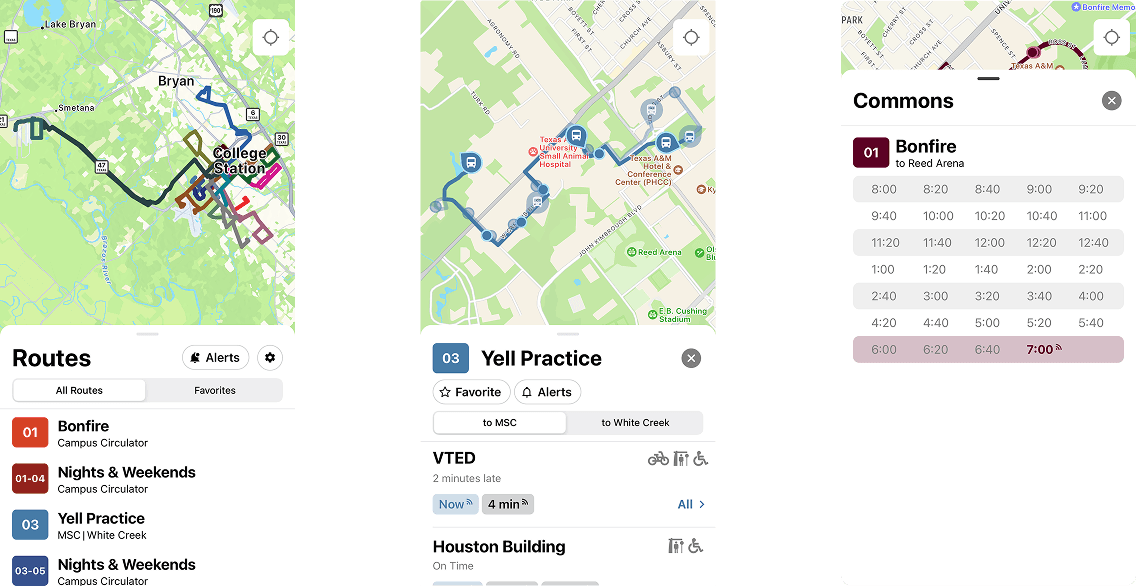
We decided to keep the app focused on a Minimum Viable Product (MVP) for our initial release.
- Viewing all available bus routes across campus.
- Tracking real-time bus locations on an interactive map.
- Accessing up-to-date timetables for each stop.
- Receiving service alerts and route notifications for any disruptions or delays.
The MVP included:
Development went pretty smoothly overall. Using React Native and Expo gave us access to many ready-to-use components that worked well right out of the box. We only ran into a few small issues, like the Drawer component not resizing correctly on some screens, but we were able to fix them quickly with a few tweaks.
Launch + Reception
After working through winter break to build the MVP, we were finally ready to launch around the second week of the spring semester. Once we received the necessary approvals from the App Store, we officially released Maroon Rides to the public.
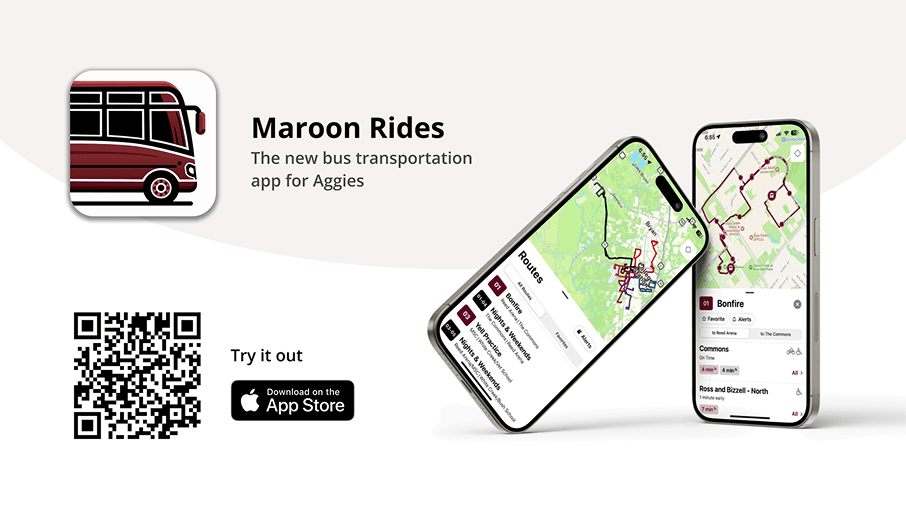
Our launch was a huge success as within just 48 hours, Maroon Rides reached over 1,800 downloads, and by the end of the first week, we had nearly 10,000 users. The response from students was overwhelmingly positive, earning the app a 5-star rating on the App Store. Many students praised how convenient and easy it was to have all their bus information right at their fingertips.
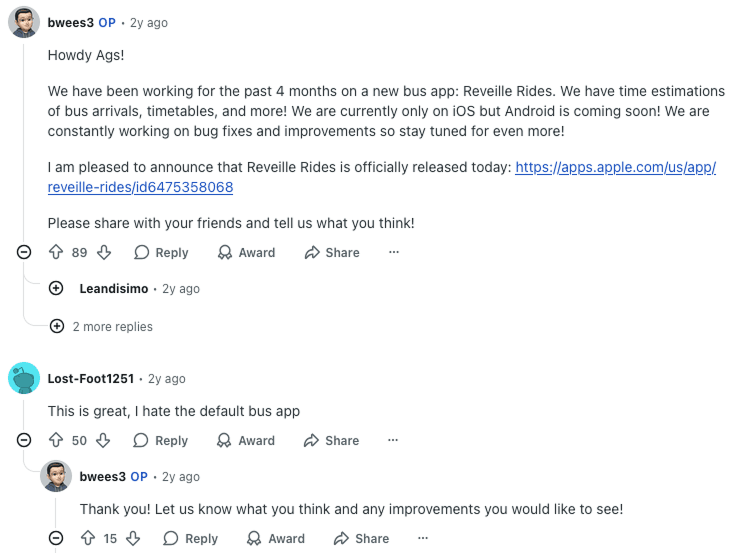
We also spread the word on Reddit, posting about Maroon Rides on the university's subreddit, and the response was overwhelmingly positive. Students shared their excitement, left encouraging comments, and helped the app gain even more visibility across campus.
Performance Optimizations
While we had a smooth launch and overall received very positive feedback, we noticed that for some users performance would rapidly degrade after having the app open for a period of time.
From a stable 60 frames per second (fps), the app's performance would slowly degrade to around 15 fps after being open for several minutes. This made animations and map interactions noticeably laggy, especially on older phones — a clear sign that something was off in our rendering or update cycle.
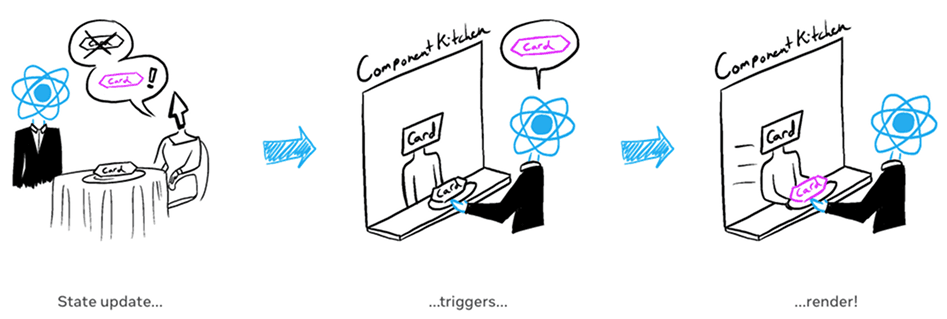
We found that the slowdown was caused by the way React re-renders components. In React, when a component's state changes, all of its child components that depend on that state are re-rendered too. This meant that every time the bus data updated — even slightly — the app would re-render most of its components. Since the Aggie Spirit API was constantly sending live updates as buses moved in real time, the frequent re-renders quickly overloaded the app and caused performance to drop.
I worked extensively on optimizing the app by minimizing the re-renders caused by updating bus data. The main goal was to reduce the number of unnecessary re-renders caused by changing data. I achieved this by moving the data-fetching logic out of the UI components and into a separate layer, ensuring components only updated when absolutely necessary. For parts of the interface that remained static, I used memoization to prevent React from re-rendering them altogether. These changes drastically improved performance and brought the frame rate back to a stable 60 fps.